Vector tiles with PostGIS, PHP and OpenLayers

This is an example about how to create vector tiles with PostGIS 3.3 (and PostgreSQL 15.3), serve them with PHP 8.1 and use them in OpenLayers 7.5. In contrast to the few tutorials available on the internet, it not only uses the latest PostGIS version 3.3, which further simplified the generation of vector tiles by introducing the new function ST_TileEnvelope, but also shows the use case, when you want to create the tiles in a projection other than the default Spherical Mercator coordinate system (EPSG:3857).

Screenshot of the Firefox browser displaying the production regions served as vector tiles.
The production regions of Switzerland rendered with OpenLayers. The vector tiles are created on the fly with PostGIS and php. The clipped tile boundaries are shown on purpose.
Continue reading “Vector tiles with PostGIS, PHP and OpenLayers”

How to copy EXIF tags from XMP to NEF with ExifTool

Adobe Lightroom only writes changes to Metadata such as geolocation into the XMP sidecar files and not directly into the EXIF tags of the image. If you add coordinates via the map module, then you will need to copy that information from the sidecar files back into your raw files (in my case Nikon NEF). With the excellent ExifTool, this is pretty simple and straightforward:

$ /pathToExifTool/exiftool -tagsfromfile ./%d%f.xmp -ext NEF .

Nikon D800 questions

Google has a new experimental feature that proposes content for your website based on search queries that might not have good enough results. For this website and the category photography, it suggests to answer the following questions:

Continue reading “Nikon D800 questions”

Multiple OCI8 and PHP versions in parallel

You can easily switch between multiple versions of PHP with:

sudo a2disconf php8.1-fpm
sudo a2enconf php8.0-fpm
sudo systemctl reload apache2

But if you installed the Oracle oci8 extension, you will probably run into the error, that it can not be loaded when switching to the older php version: Unable to load dynamic library 'oci8.so'

This happens, because pecl uninstalls the previous oci8 version automatically unless you explicitly say not to do so when installing:

# NOTE: PECL removes /usr/lib/php/xyz/oci8.so from non-active php versions,
# if you want multiple installations of php with oci8 in parallel, you need to set the php_suffix and prevent other oci8 version from being uninstalled with:
sudo pecl -d php_suffix=8.1 install oci8; sudo pecl uninstall -r oci8
sudo pecl -d php_suffix=8.0 install oci8-3.0.1; sudo pecl uninstall -r oci8

# instead of just installing latest version with
sudo pecl install oci8

Black screen after updating nvidia driver

Updating the nvidia-driver on Linux (Mint) can lead to a black screen after boot. Here is how you can quickly revert to the previous working version:

Press Ctrl + Alt + F1 and log into a the virtual console with your username and password (If that does not work, boot first into recovery mode, then resume boot and then log into the console):

# list available nvidia drivers
$ ubuntu-drivers devices

# install last working driver from the list
$ sudo apt install nvidia-driver-520

How to use a YubiKey for two-factor autenthication on Linux Mint

This post will show you how to setup and use a YubiKey and the Yubico Authenticator application to sign in to a Microsoft Azure Cloud Account using Linux Mint 20 without the need for the Microsoft Authenticator being installed on your mobile phone:

Yubico Authenticator desktop installation

1. Download and install the Yubico Authenticator AppImage:

# install dependency first
$ sudo apt install pcscd
$ sudo systemctl enable --now pcscd

# download latest version with curl
$ cd  ~/Downloads
$ curl -L -O -J https://developers.yubico.com/yubioath-desktop/Releases/yubioath-desktop-latest-linux.AppImage

# make executable
$ chmod +x yubioath-desktop-latest-linux.AppImage

# extract icon, which we can use for the menu item below
$ cp yubioath-desktop-latest-linux.AppImage temp.7z
$ file-roller --extract-here temp.7z 

# move to /opt/yubico
$ sudo mkdir /opt/yubico
$ sudo mv yubioath-desktop-latest-linux.AppImage /opt/yubico/
$ sudo mv temp/com.yubico.yubioath.svg /opt/yubico/
Continue reading “How to use a YubiKey for two-factor autenthication on Linux Mint”

Docker: How to install the php enchant extension

If I try to install the php enchant extension in the docker image php:8.1-fpm with

RUN docker-php-ext-install enchant

I get the following error:

E: Unable to locate package libenchant-2

You need to install the missing enchant library in the dockerfile yourself (along with your wanted spellcheck language, in my case Swiss German):

RUN apt-get install -y libenchant-2-2 libenchant-2-dev aspell-de hunspell-de-ch \
   && docker-php-ext-install enchant

How to get the version of a module from its package.json

node.js < 12

VERSION=$(node -p "require('some-module/package.json').version")

node.js 12+

In Node.js 12+ you can no longer get the version of a module dependency with the version property unless the path is explicitly exported in the module with:

{
  "exports": {
    "./package.json": "./package.json"
  }
}

What you can do instead, is to use a regular expression to parse the version from you own package.json dependency property with:

VERSION=$(node -p "/(\d+\.\d+(?:\.\d+)?)/.exec(require('./package.json').dependencies.some-module)[1]") 

package.json example

The following npm script example copies the some-module from the ./node_modules folder to ./../some-module/1.7.3 outside the node_modules folder (note: adapt the regular expression, if the version of the some-module dependency contains other characters than numbers and the full stop):

{
  "dependencies": {
    "some-module": "1.7.3"
  },
  "devDependencies": {
    "copyfiles": "2.4.1"
  },
  "scripts": {
    "some-module:copy": "VERSION=$(node -p \"/(\\d+\\.\\d+(?:\\.\\d+)?)/.exec(require('./package.json').dependencies.some-module)[1]\") && copyfiles -u 3 \"node_modules/some-module/**/*\" some-module/$VERSION"
  }
}

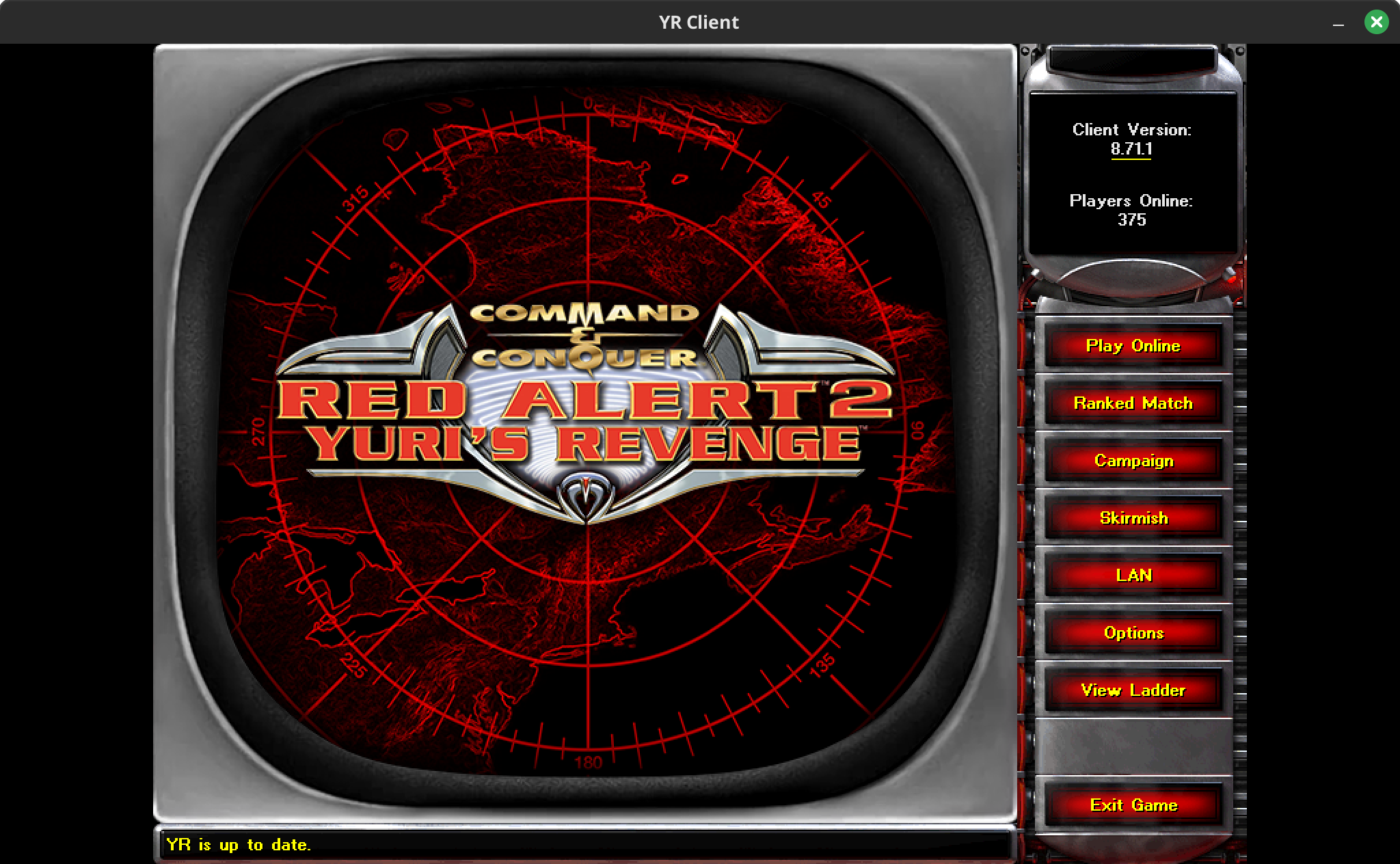
How to Install the CnCNet Client on Linux

Update 25.11.2025: You can now play Red Alert 2 multiplayer directly in your browser: https://chronodivide.com/

Guide updated on 16.05.2025: The installation of the CnCNet client has become a lot easier since the first time I wrote this guide. A 32bit windows wine environment is no longer required.

If you want to play the classic Games Red Alert 2 and Red Alert Yuri’s Revenge with multiplayer support on Linux (or other old Command and Conquer Games), you need to download and install the CnCNet Client. Here are the instructions on how to get CnCNet 5 working under Linux using Wine and winetricks.

Screenshot of a wine virtual desktop running Command & Conquer Yuri’s Revenge modded with the CnCNet Client v 8.71.1 on Linux Mint 22.1
Continue reading “How to Install the CnCNet Client on Linux”

How to install SpectraView II on Linux (Mint 20)

NEC (now Sharp) provides a Linux Version of SpectraView II and a corresponding installation guide. Unfortunately, both are pretty outdated. They reference Ubuntu 14 as the latest version 🙁 . Even worse, the application depends on some Qt4 packages which are no longer available in a current Ubuntu/Mint installation. After digging around the internet I found help in the UbuntuHandbook on how to install the missing Qt4 libraries and I was able to successfully install SpectraView II and calibrate my Monitor NEC MultiSync PA32 with the colorimeter X-Rite i1Display Pro on Linux Mint 20.2

Linux Mint 20 running SpectraView II with a X-Rite i1Display Pro connected via USB
Continue reading “How to install SpectraView II on Linux (Mint 20)”